
Technology
Your Headphones Just Became a Real-Time Translator — Google Live Translate Finally Hits iPhone
By Admin • April 2026 • 5 min read
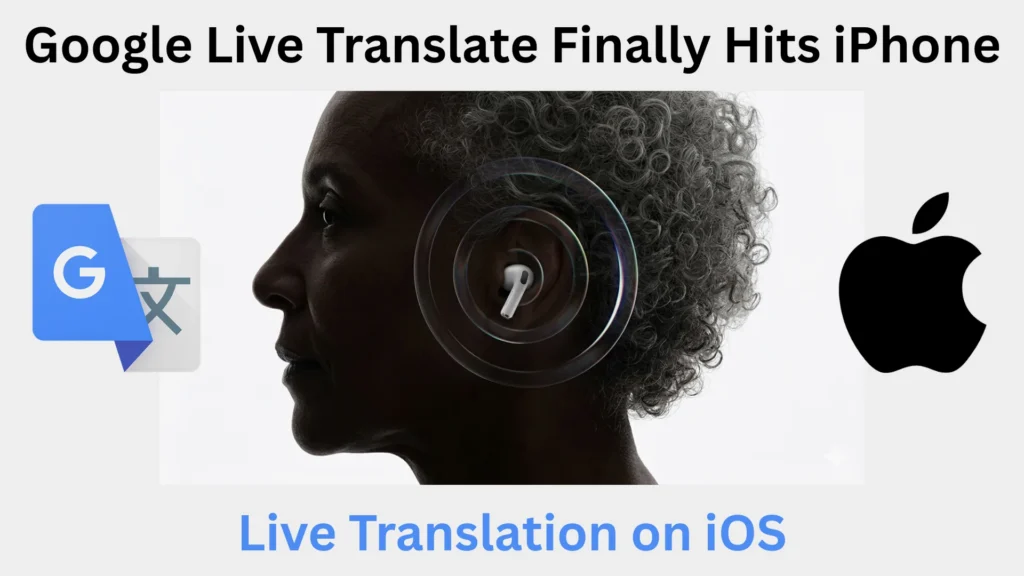
Google Translate Live Translation on iOS Is Finally Here
Picture this: You’re sitting at a dinner table with your relatives speaking rapid-fire Punjabi. Or you’re standing on a train platform in Tokyo, trying to decode an announcement blaring through the speakers. Or you’re in a business meeting in Berlin, nodding along while half the room converses in German. In all these situations, you’ve historically had two options — fumble for your phone and type, or simply miss out.
That experience is changing in a very real way. Google has officially launched Live Translate, its AI-powered real-time headphone translation feature, on iOS — turning any pair of translate earbuds for iPhone into an intelligent, always-listening language companion. No premium plan. No special gadget required. Just the Google Translate app, your existing wireless headphones, and a single tap.
This is one of those rare tech moments that genuinely feels like science fiction becoming everyday life.
What Exactly Is Google’s Live Translate Feature?
Before diving into how it works on your iPhone, it’s worth understanding what makes this feature different from the traditional Google Translate experience we’ve all used for years.
The classic Google Translate required deliberate effort — you typed text, spoke into a microphone, or pointed your camera at a sign. It was reactive. You had to stop, interact with your phone, and wait for a response.
Google Translate Live translation on iOS flips that entire experience on its head. Instead of you going to the translation, the translation comes to you — passively, in real time, directly into your ears through your headphones. The system listens continuously to speech in the environment around you and delivers translated audio output almost instantaneously.
What powers this seamless experience is Google’s Gemini 2.5 Flash Native Audio model — a speech-to-speech AI that doesn’t just swap words between languages but understands the context of what’s being said. It preserves the original speaker’s tone, emotional emphasis, and natural cadence. So when your grandmother sounds warm and affectionate in her native language, that warmth isn’t lost in translation. When a train conductor sounds urgent, you hear that urgency too.
This distinction matters more than it might seem. Earlier translation tools produced flat, robotic output that stripped away the human texture of speech. Gemini-powered Live Translate changes that fundamentally.
How to Use Google Live Translate on iPhone — A Step-by-Step Guide
One of the best things about this feature is how absurdly easy it is to set up. You don’t need to be tech-savvy, configure any advanced settings, or pair a special device. Here’s exactly how to use Google Live Translate on iPhone:
Step 1: Make sure you have the latest version of the Google Translate app installed on your iPhone. If you haven’t already, download it free from the App Store.
Step 2: Connect any pair of wireless Bluetooth headphones to your iPhone. This is important — the translated audio plays directly into your ears, so wired headphones won’t work with this feature.
Step 3: Open the Google Translate app and look for the “Live Translate“ option on the main screen.
Step 4: Tap Live Translate and select your preferred mode. The app offers four modes:
- Listening — The most popular mode. Your phone listens to whoever is speaking around you and translates their speech into your ears in real time. Ideal for conversations, announcements, and lectures.
- Conversation — Both parties take turns speaking. Translations play through the speaker or headphones, making it useful for two-way dialogue.
- Text Only — Shows a running translated transcript on screen without audio output.
- Custom — Lets you mix and match settings for specific situations.
Step 5: Choose the source language (what the other person is speaking) and your target language (what you want to hear). Tap Start and simply listen.
That’s genuinely it. Point your phone toward the speaker, sit back, and let Gemini do the heavy lifting. The whole setup takes under two minutes the first time.
The Hardware Question: Does It Work With AirPods?
Absolutely — and this is where things get interesting for iPhone users already embedded in the Apple ecosystem. Google’s Live Translate works perfectly with AirPods, including AirPods 3, AirPods 4, AirPods Pro 2 and 3, and even older AirPods models. It also works with any third-party wireless earbuds — Sony, Jabra, Samsung Galaxy Buds, Bose, or even budget no-name Bluetooth earphones.
The only requirement is a Bluetooth connection to your iPhone and the Google Translate app — both of which most people already have.
Google vs. Apple: The Real-Time Translation Showdown on iPhone
Apple launched its own Live Translation feature for iPhones and AirPods in late 2025, so it’s natural to compare the two. Both do real-time translation through earbuds, but they differ in meaningful ways.
Apple’s Live Translation:
- Requires AirPods 4 or AirPods Pro 2/3/
- Requires an Apple Intelligence-capable iPhone (iPhone 15 Pro or newer).
- Processes translations entirely on-device — your audio data never leaves your phone.
- Supports a more limited range of languages currently.
- Deeply integrated into the iOS system.
Google’s Live Translate:
- Works with any wireless headphones — no brand or model restrictions.
- Works on any iPhone capable of running the Google Translate app.
- Processes translations in the cloud via Gemini AI.
- Supports 70+ languages — one of the broadest language libraries available.
- Free with no hardware upgrade required.
For travelers, language learners, and everyday multilingual households, the combination of Google’s language range and zero hardware requirements makes it the more practical choice for the majority of users today.
Read Also: Nvidia Stocks: Complete 2026 Investment Guide
Global Expansion: Which Countries Now Have Access?
The March 2026 rollout didn’t just bring Live Translate to iPhone — it also significantly expanded the feature’s geographic reach. Previously, the feature was limited to Android users in the United States, India, and Mexico.
With the new expansion, Live Translate with headphones is now available on both iOS and Android across:
United States, India, Mexico, Germany, France, Spain, Italy, United Kingdom, Japan, Nigeria, Bangladesh, and Thailand.
That’s a jump from 3 countries to 12, with more expected to follow throughout 2026. For the first time, users in major European markets like Germany, France, and the UK — along with key Asian markets like Japan and Thailand — can access the feature natively on their devices.
Real-World Scenarios Where Live Translate Changes Everything
This Live translation is a great feature. You can’t even imagine what it can bring to everyday life and how it can make life easier for every age and person in a different field.
Here are some of the real world impacts it can bring:
Family gatherings across language barriers:
Many second and third-generation immigrants do not know about their roots language, due to separation or living far away from their rooted place. The language spoken by their grandparents is something that is out of their league. Live Translate lets you follow those conversations in real time; jokes, stories, emotional moments without asking the person for the translations.
International travel:
Train arrival and departure time, museum audio guides, street vendor speech, is full of spoken information you currently miss if you don’t speak the local language. With your earbuds translating the audio live, you absorb your environment the way locals do.
Business and professional settings:
International meetings, international client calls, and cross-border conferences often involve candidates switching between languages. Following those shifts in real time — without waiting for a human interpreter — changes the dynamic of participation entirely.
Classrooms and lectures abroad:
Students studying in foreign countries sometimes feel difficult to understand what the lecturar is saying, but with this one can follow lectures more confidently, and can participate more actively when they’re not spending mental energy straining to decode every sentence.
Entertainment and media:
Watching foreign-language television, films, or live events with real-time audio translation through your earbuds is something else rather than understanding by only reading from the subtitles.
What This Means for the Future of Language Technology
The arrival of real-time AI translation in everyday consumer earbuds marks a quiet but significant shift in human communication. For decades, language learning was the only reliable path to crossing communication barriers. That’s not disappearing — but it’s no longer the only path.
What Google has built here, powered by Gemini’s native audio capabilities, is the early version of what science fiction has long imagined: a universal translator that lives in your ear. The current version is one-directional and requires you to hold your phone toward a speaker, but the trajectory is clear. Two-way, fully natural real-time translation between any two languages, running invisibly in the background, is not far away.
For iPhone users specifically, the timing is excellent. The combination of accessible hardware compatibility, a free app, 70+ language support, and a genuinely simple setup process means there’s no barrier to trying this today.
The Bottom Line
Whether you’re a frequent traveler, part of a multilingual family, a professional working across borders, or simply someone curious about the future of communication — Google’s Live Translate on iOS deserves a spot in your toolkit.
Your translation earbuds for the iPhone are already in your ears. The app is free. The setup takes two minutes. The only thing left is to tap Live Translate and hear the world in your language.
Download or update the Google Translate app on your iPhone today and experience it for yourself.
See Also
Related Posts

Best Gemstones for Each Zodiac Sign in 2026
Ever wonder why some days feel luckier than others? Vedic...
Read More

Best Gemstones for Financial Success According to Vedic Astrology
Discover the best gemstones for financial success in Vedic astrology,...
Read More
Why Are Instagram Messages Purple? The Complete, Up-to-Date Guide
What does a purple bubble mean on Instagram? See why...
Read MoreCategory
Recent Posts
Best Gemstones for Each Zodiac Sign in 2026
Ever wonder why some days feel luckier than others? Vedic...
Read MoreBest Gemstones for Financial Success According to Vedic Astrology
Discover the best gemstones for financial success in Vedic astrology,...
Read MoreWhy Are Instagram Messages Purple? The Complete, Up-to-Date Guide
What does a purple bubble mean on Instagram? See why...
Read More
15 Best ChatGPT Alternatives in 2026: Free & Paid AI Tools
ChatGPT isn't the only AI worth using anymore. From Claude...
Read More
I really like what you guys are usually up too.
This sort of clever work and coverage! Keep up the fantastic
works guys I’ve added you guys to my blogroll.
Thanks, and love to hear this