
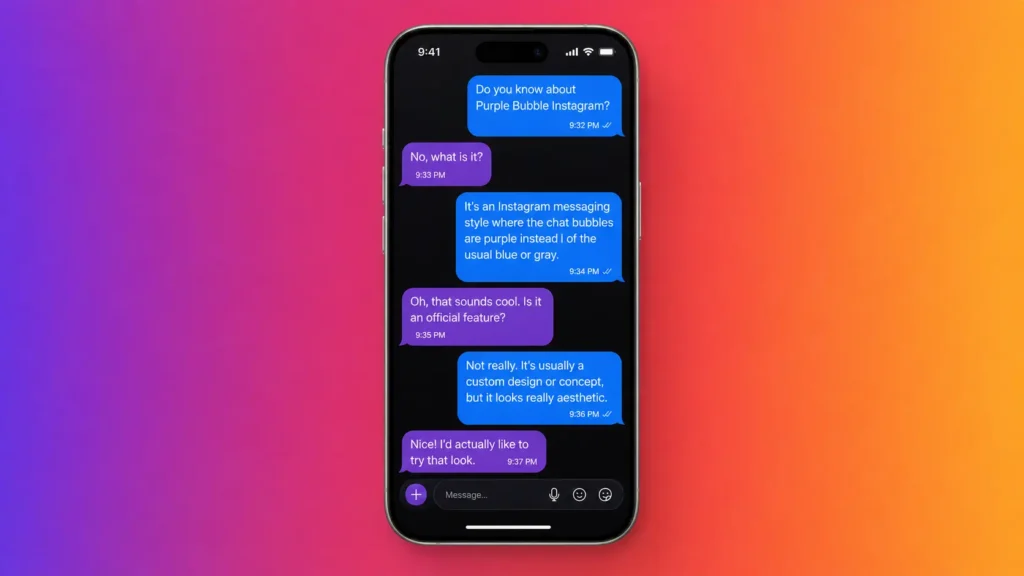
If your Instagram DMs suddenly turned purple, here’s the direct answer: it’s either Vanish Mode or a custom Chat Color set to Violet — nothing more. It is not a security feature, not a sign of a hacked account, and, as of Instagram’s May 2026 update, it has nothing to do with encryption, since end-to-end encrypted DMs were discontinued that month. This guide breaks down exactly what triggers the purple look, how to turn it on or off, how it compares to other bubble colors, and answers the specific questions people search for most — verified directly against the current Instagram app rather than recycled from older articles.
What Does a Purple Message Mean on Instagram?
Instagram’s default DM color scheme is simple: messages you send appear in blue, messages you receive appear in gray. When you see purple instead, the chat has moved away from that default for one of two reasons:
- Vanish Mode is active – the chat background turns dark and the bubbles shift into a shimmering purple-pink gradient.
- A custom Chat Color is applied – Instagram lets you pick a themed palette for any conversation, and Violet is one of the most-used presets.
That’s it. There’s no hidden status, paid feature, or third-party app involved — it’s a built-in style option available to every user on iOS and Android.
Instagram Message Bubble Colors: Quick Comparison Table
Bubble Color | What Triggers It | Is It Permanent? | Security Meaning | How to Turn It Off |
Blue | Default color for messages you send | Yes, unless changed | None — standard chat | N/A (default) |
Gray | Default color for messages you receive | Yes, unless changed | None — standard chat | N/A (default) |
Purple / Violet gradient | Custom Chat Color theme selected by you or the other person | Yes, until manually changed | None — cosmetic only | Chat Color menu → select Blue |
Purple-pink shimmer + dark background | Vanish Mode (swipe up in a chat) | No, temporary per session | Messages disappear after viewing | Swipe up again or leave the chat |
Other gradients (Sunset, Bubblegum, Midnight) | Custom Chat Color themes | Yes, until manually changed | None — cosmetic only | Chat Color menu → select Blue |
This table alone answers most of what people are searching for: purple is either a permanent theme choice or a temporary Vanish Mode session — never a hidden security indicator.
Why Did My Instagram Messages Suddenly Change Color?
If you didn’t touch any settings but the color changed anyway, here’s what’s actually happening:
- The other person changed the theme. Chat Color applies to both participants, so if they picked a new preset, it shows up on your screen automatically.
- Vanish Mode was triggered by accident. Swiping up inside a chat activates it, which is easy to do unintentionally while scrolling through messages.
- The app updated. Instagram periodically rolls out new gradient options or visual tweaks that can shift how an existing theme renders.
- A Vanish Mode session was never closed. If neither person manually exited it, the dark background and shimmer remain active the next time the chat is opened.
None of these point to a compromised account or a privacy issue — they’re routine settings changes, made by you, the other person, or Instagram’s own updates.
Purple vs Blue Instagram Message: What’s Actually Different
This comparison comes down to appearance, not function. Both colors send, deliver, and read messages identically:
- Blue bubbles = the standard, default color for sent messages.
- Purple or gradient bubbles = either Vanish Mode is on, or a custom theme has been applied to that specific conversation.
If the color keeps switching between the two in the same thread, it’s almost always Vanish Mode being toggled on and off, since swiping up activates it and swiping up again restores the default look.
How to Change Your Chat Color (Step-by-Step)
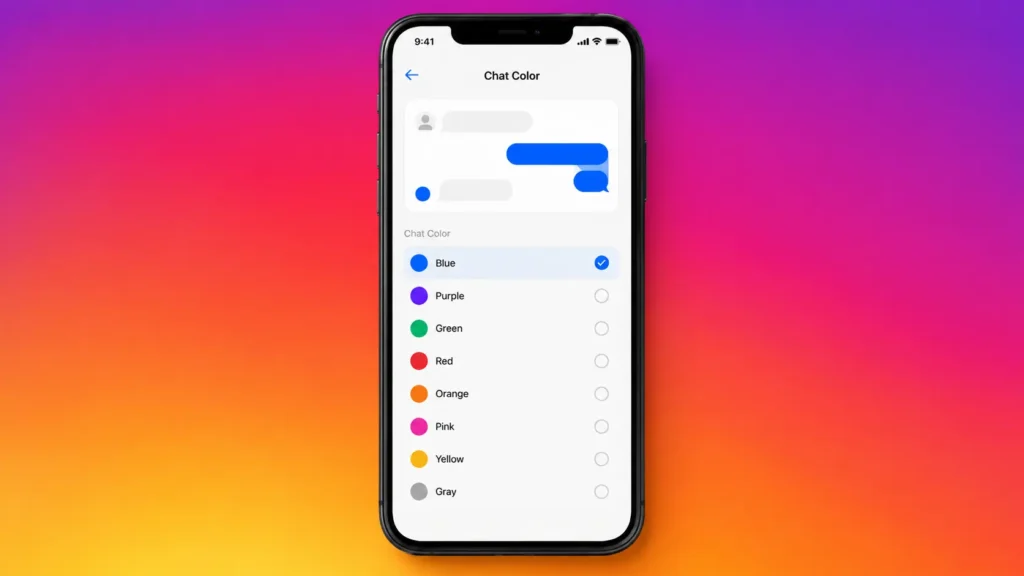
To find or change the theme on any conversation
- Open the conversation.
- Tap the person’s name or the info icon at the top.
- Select Chat Color.
- Choose from presets like Blue (default), Sunset, Bubblegum, Violet, Midnight, or a custom color.
- Exit the menu — the change applies instantly for both people in the chat.
This same violet gradient shows up elsewhere in the app too, including story rings and highlight covers, which is part of why the color feels so recognizable once you notice it.
How to Get the Purple Look Through Vanish Mode
If you want the shimmering, disappearing-message version specifically:
- Open any DM thread.
- Swipe up from the bottom of the screen.
- The background turns dark and bubbles shift into the purple gradient.
- Swipe up again, or leave the chat, to turn it off.
Vanish Mode is opt-in and reversible at any time — it’s a normal feature, not an indicator that someone is hiding something.
Is There a Separate “Purple Text App”?
Many people searching for a messaging app with purple bubbles are actually thinking of a different platform. Apple’s iMessage uses blue for iMessage-to-iMessage texts and green for regular SMS — not purple. There’s no mainstream chat app that uses purple as its defining brand color the way iMessage uses blue or WhatsApp uses green. When someone mentions a “purple messaging app,” they almost always mean an Instagram DM styled with a Violet theme, or a chat currently in Vanish Mode — not a separate download.
Why the Encryption Explanation Is Outdated
A number of older articles claim purple bubbles indicate end-to-end encryption. That was never accurate even when Instagram briefly offered opt-in encrypted chats — those were marked with a lock icon and text label, not a bubble color. More importantly, Meta discontinued end-to-end encryption for Instagram DMs in May 2026, citing low user adoption, and pointed users toward WhatsApp for encrypted messaging instead, according to Instagram’s own Help Center and reporting at the time. It’s quite obvious when purple bubbles are linked with encryption by any current guide that such a person is just going on very outdated information and it would be best to treat that explanation with skepticism if it appears anywhere else.
A Brief Timeline of the Purple Bubble Feature
To better understand the development of this feature and the reason behind such conflicting information online here is a short list:
- 2023 – Instagram offered a voluntary end-to-end encryption option for chosen DMs which would be indicated by a padlock icon and a label but there was no change in color.
- 2023-2025 – Chat Colors got an expansion with the addition of gradient presets like Violet. Besides that, Vanish Mode, a feature of DMs that had been introduced several years back, was included in the list as well.
- Early 2026 – A number of weblogs and discussion forums started passing on the idea that the purple bubble signified encrypted messages which probably was the result of having rolled out the two features at more or less the same period and no clear explanations from Instagram themselves.
- May 2026 – Meta publicly declared that they had given up on encrypted direct messages for Instagram by citing its low popularity and suggested WhatsApp as a secure messaging platform.
Comprehending the changes over time is the reason why old explanations are no longer valid and that Chat Color and Vanish Mode features are the sole correct causes of a purple bubble as of today.
Common Issues and Troubleshooting
- Chat Color option missing or grayed out: Make sure the app is up to date, older releases may restrict theme options.
- Color seems slightly different on iPhone and Android: This is a known fact that different OSs render gradients differently, so it’s not a mistake.
- Purple appears in a chat you never customized: Verify that Vanish Mode is on because a dark background indicates it. It will go back once you swipe up again or you leave the chat.
- You’re not sure if it’s Vanish Mode or a theme: Vanish Mode always comes with a darkened chat background and an on-screen label when activated; a Chat Color theme does not change the background, only the bubbles.
Final Thoughts
A purple message bubble on Instagram is a design choice, not a mystery, and it’s not tied to any special security status. Whether it’s a Chat Color set to Violet or the temporary shimmer of Vanish Mode, the feature is built directly into the app and can be switched on or off in seconds. With encryption no longer part of the picture as of mid-2026, the purple look is simply about personalization — nothing to troubleshoot, nothing to worry about.
This guide was checked against the current version of the Instagram app on both iOS and Android, and cross-referenced with Instagram’s official Help Center and recent reporting on Meta’s May 2026 removal of DM encryption, to make sure the explanation reflects how the feature actually works today rather than outdated claims still circulating online.
Frequently Asked Questions
Q1. What does a purple bubble mean on Instagram?
It means the chat color is set to Violet, or Vanish Mode is currently active in that conversation.
Q2. Why did my Instagram messages suddenly change color?
Most often the other person changed the theme Vanish Mode was triggered by an accidental swipe or the app updated its visual settings.
Q3. How do I change my messages back to blue?
Open the char, tap the contact’s name, go to Chat Color, and select the default Blue option.
Q4. Does a purple message mean someone is using a different app?
No — it’s a built-in customization option, not a sign of a separate messaging app.
Q5. Does a purple bubble mean my Instagram chat is encrypted?
No. Instagram eliminated encryption of DMs end-to-end in May 2026, and even previously, encrypted messages, chats, etc. were indicated by placing the lock image on the messages, not with bubble colors.
Q6. Can the other person tell if I turned on Vanish Mode?
Yes – Vanish Mode changes the chat view to both the individuals involved in the conversation, and Instagram also shows a message when the mode is on or off.

15 Best ChatGPT Alternatives in 2026: Free & Paid AI Tools
ChatGPT isn't the only AI worth using anymore. From Claude...
Read More
Why Big Tech Companies Are Investing in Fintech Startups in 2026
Discover why big tech companies are investing in Fintech Startups...
Read More
Who Is Kunal Shah? The Entrepreneur Behind CRED’s Rise
He dropped out of NMIMS, sold FreeCharge for ₹2,800 crore,...
Read More
Best Gemstones for Financial Success According to Vedic Astrology
Discover the best gemstones for financial success in Vedic astrology,...
Read More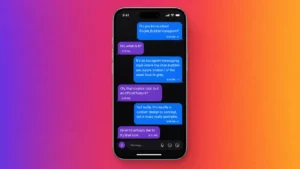
15 Best ChatGPT Alternatives in 2026: Free & Paid AI Tools
ChatGPT isn't the only AI worth using anymore. From Claude...
Read More
8 Best Money-Saving Apps of 2026
Which money-saving app suits you? Compare Cleo, Acorns, YNAB &...
Read More